

Intro to Windows Server 2008 Training
Intro to Windows Server 2008 Training
6+ Hours of Windows Server 2008 Training on DVD, FREE with ALL Orders!
Order Online or give us a Call. We will automatically include a free copy of our Intro to Windows Server 2008 Training on DVD with every order that we ship.
Learn about IIS 7, Server Core, WDS, RODC, and much more!
Limited Quantities Available! This offer is only good until supplies run out. Want to learn more about Windows Server 2008? Well this is the perfect chance for you to get our FREE Windows Server 2008 Training. Just pick your favorite product from our wide selection of training videos, and we will Automatically send you this training absolutely FREE! You can't beat that, so hurry and get this great offer while supplies last!About this course:This course is a 6 hour training course to introduce you to Windows Server 2008. It will teach you about some of the neat new features that are available in Window Server 2008 and how to configure them. This course is just the beginning. We will be launching an entire Windows Server 2008 Training series that will include complete coverage of the MCITP certifications and much more, totaling over 150 hours of training. The Intro to Windows Server Training DVD is not an exam prep course and does not go into as much depth as our Windows Server 2008 training series will, but it gives you a great opportunity to get ahead of the crowd and start working on Windows Server 2008.Here's what we cover in our Intro to Windows Server 2008 Training Course:Installing Windows Server 2008 and Active Directory
Server Edition Check
Installation Procedure
Initial Configuration of Windows Server 2008
Adding Active Directory to Windows Server 2008
Promotion of a Windows 2008 server to a Domain Controller Active Directory Users and Groups in Windows Server 2008
Active Directory Review What's New in 2008
Windows Server 2008 Server Manager
Active Directory Auditing
Renaming the Administrator Account
Creating Users
Creating Groups
Adding Users to Groups
Event Viewer in Server 2008 Windows Server Core and DHCP Servers
What is Server Core?
What can Server Core do? Server Core Roles
How to Set the Admin Password in Server Core
Rename the Computer in Server Core
Join a Domain in Server Core
DHCP Role Installation
Critical Commands to know for Server Core
Set Up the Windows Firewall on Server 2008
Install RSAT
Create an MMC to Connect to Windows Server Core Windows Server 2008 File and Print Servers
What's New with File and Print Server
Install File Server Roles in Windows Server 2008
Create a Namespace
Setup Up Replication (DFS)
Add a Print Server to Windows Server 2008
Add a Network Printer
Print Management Console
Deployed Printers Windows Server 2008 Read Only Domain Controllers
What's a Read Only Domain Controller (RODC)
Advantages of Read Only Domain Controllers (RODC)
Steps to Deploy a Read Only Domain Controller (RODC)
RODC Role Installation
Password Replication
Pre-Populate a Password IIS 7 Web Servers
New Features in IIS 7
Modularization
Role Installation
Selection of Modules
IIS Manager
Speed Up Your Index Page Load
Where to Put Your Files
Browse Your Site Windows Server 2008 Terminal Services
Terminal Services New Features
Remote Application
Installing a Terminal Server
Configuring RemoteApp Windows Deployment Services
Quick Intro to Imaging
Windows Deployment Services (WDS) Configuration Procedure
Installation of Windows Deployment Services (WDS) Role
Image Locations
Boot Image Import
Create Capture Boot Image
Create an Image Group
Add Install Images
Capture an Image
Deploy from Windows Deployment Services (WDS) Windows Server 2008 MCITP Certification Info
Certifications
Upgrade Certifications
Features in Extended Server 2008
Part 1 Part 2 Part 3 Part 4 Part 5 Part 6 Part 7 Part 8 Part 9
R.lick and download with IDM ( not save target or download by IE )
When you download complete . You need Join 9 part . You have 1 file
WDSV2008_VNDL.master8x
Replace WDSV2008_VNDL.master8x ->WDSV2008_VNDL.rar -> OK
Unrar and Enjoy .
Monday, 2 June 2008
Intro to Windows Server 2008 Training - Cool

Wednesday, 28 May 2008
Implementing Microsoft Internet Security and Acceleration (ISA) Server 2004 70-350
Implementing Microsoft Internet Security and Acceleration (ISA) Server 2004
Link
No pass
Enjoy
Implementing, Managing, and Maintaining a Windows Server 2003 Network Infrastructure 70-291
Implementing, Managing, and Maintaining a Windows Server 2003 Network Infrastructure
links
No pass
Managing and Maintaining a Windows Server 2003 Environment 70-290
Managing and Maintaining a Windows Server 2003 Environment
Links
no pass
Installing, Configuring, and Administering Microsoft Windows XP Professional 70-270
Installing, Configuring, and Administering Microsoft Windows XP Professional
Links
no pass
Tuesday, 27 May 2008
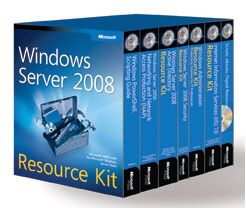
Windows Server 2008 Resource Kit
Windows Server 2008 Resource Kit
Product Description:
Get the essential reference for deploying, managing, automating, troubleshooting, and optimizing Windows Server 2008 with expert insights and best practices from Microsoft Most Valuable Professionals (MVPs) and the Windows Server team at Microsoft. This official Microsoft® RESOURCE KIT features six volumes of in-depth technical information that every Windows® administrator needs to understand to master Windows Server 2008 administration. You get detailed information about networking, network aspect projection, security features, Internet Information Services (IIS) 7.0, Active Directory®, and Windows PowerShellTM. You also get more than 200 time-saving tools, scripts for automation, job aids, eBook resources.
Key Book Benefits:
Provides six volumes of in-depth technical information for administering, optimizing, troubleshooting, and automating Windows Server 2008Delivers definitive product information with expert insights straight from the Windows Server team at Microsoft, Microsoft MVPs, and field consultantsDetails information that every Windows administrator needs about Windows Server performance, troubleshooting, security services, group policy, Active Directory, IIS 7, and Windows PowerShell
From the Publisher:
* Provides six volumes of in-depth technical information for administering, optimizing, troubleshooting, and automating Windows Server 2008 and IIS 7.0
* Delivers definitive product information with expert insights straight from the Windows Server team at Microsoft, Microsoft MVPs, and field consultants
* Details what every Windows Server administrator needs to know about performance, troubleshooting, security services, Group Policy, Active Directory, IIS 7, and Windows PowerShell
* Features a CD with more than 200 essential tools and scripts, eBooks with additional technical information, tips, and best practices--plus a fully searchable eBook of all six RESOURCE KIT volumes
Part 1 Part 2 Part 3 Part 4 Part 5
pass
hxxp://networkmanagers.googlepages.com
replace xx-> tt
Friday, 23 May 2008
CBT 70-270 CD2
CBT 70-270 CD2

CBT 70-270 CD1
Exam-Pack 70-270: Windows XPInstalling, Configuring, and Administering Windows XP Professional
The videos contained in this series covers the information that you will need to prepare for exam 70-270 - Installing, Configuring, and Administering Microsoft Windows XP Professional. Exam 70-270 provides credit toward Microsoft's MCSE and MCSA certifications.
One look at Windows XP and you know there have been significant changes from previous Windows Operating Systems. At first there's excitement, "check out the cool interface" and "look at that neat fish screen saver", then there's irritation, "I can't do what I used to do the same way" and "What the stink!" and "Why the stink!". Many users will stall during step 2, and muddle around in irritation indefinitely. This Exam-Pack takes you to step 3, unlocking the incredible power, mastering the intricacies of every new feature, basically strapping a saddle on and riding the beast.
You'll learn how to deploy Windows XP quickly, without error and almost effortlessly with Remote Installation Services, the System Preparation tool, and many other XP enhancements. You'll see how to take remote control of a user's desktop to enhance your troubleshooting efforts. You'll understand the intuitive way that we can now add, manage and troubleshoot the resources and devices on your computer. You'll learn how to use the new application compatibility tools to ensure that the applications you depend on are up and running in Windows XP. The list goes on; you'll truly be the master of Windows XP. Yes, you want to pass the exam, and there definitely is comprehensive coverage of the exam objectives, but the real beauty of this series is the wealth of real-world knowledge you'll have when you're done. To really know Windows XP, to be able to wield it like the weapon of a samurai, will make all the difference in your abilities as a network administrator, as a systems engineer, and most importantly as an IT professional striving to maintain sanity and mental health.
The innovative approach used by CBT Nuggets provides hands-on experience through the eyes of the instructor. Go to our free videos section and view 2 of the videos from the Windows XP series for free.
The videos included in the Windows XP training pack are listed below:
- Intro to XP, Navigation and Desktop Settings- Installation of Windows XP- Advanced Installation Topics- Installing Windows XP with Remote Installation Services- Advanced RIS Concepts- Administration of Printers and Faxes- Managing and Troubleshooting Hardware Devices and Drivers- User and Hardware Profiles- Monitoring and Optimizing Performance and Reliability- Windows XP Performance Enhancements- Hard Disk and Removable Media Management- Remote Desktop- Remote Assistance - TCP/IP Concepts- Windows XP on Mobile Computers- Remote and Dial-Up Connections- Internet Connection Sharing and Internet Connection Firewall- Internet Explorer Security Configuration- Share and NTFS Permission Assignment- Implementing, Monitoring, and Troubleshooting Security- Application Compatibility- Disaster Recovery Tools
Microsoft is a registered trademark of Microsoft Corporation
Part 1 Part 2 Part 3 Part 4 Part 5 Part 6 Part 7
pass
hxxp://networkmanagers.googlepages.com
change xx by tt
Thursday, 22 May 2008
CBT NUGGETS MICROSOFT Exchange 2007
CBT NUGGETS MICROSOFT Exchange 2007
Links
Part 1 Part 2 Part 3 Part 4
Pass
http://networkmanagers.googlepages.com
Wednesday, 21 May 2008
Cbt nugget 70-291
Source :
http://www.cbtnuggets.com/webapp/product?id=208
MCSE 2003: Exam-Pack 70-291
Implementing, Managing, and Maintaining a Microsoft Windows Server 2003
Network Infrastructure

James Conrad provides in-depth instruction along with a quick moving and witty style to make the training fun as well as educational. You won't fall asleep with these videos. James is one of the leading experts on Server 2003 and you'll appreciate his knowledge and insight with the product along with his helpful tips and tricks to get the most out of your network's performance.
There are 25 videos providing more than 12 hours of instruction. A basic understanding of computers and networking, such as the A+/Network+ Combo Pack, as well as the material covered in Exam-Pack 70-290 is recommended before viewing this training.
70-291 CD Rom Contents:- Series Intro- IP Addressing- Custom Subnetting- TCP/IP Configuration- IP Tools- DHCP Configuration- DHCP Management- DNS Part 1- DNS Part 2- DNS Part 3- DNS Part 4- Security Templates Part 1- Security Templates Part 2- Security Part 1- Security Part 2- IPSec Part 1- IPSec Part 2- Kerberos- RRAS Part 1- RRAS Part 2- RRAS Part 3- RRAS Part 4- RRAS Part 5- Internet Access- Server Services
Microsoft is a registered trademark of Microsoft Corporation
Part 1 Part 2 Part 3 Part 4 Part 5 Part 6 Part 7
pass
hxxp://networkmanagers.googlepages.com
change xx -> tt
Cbt nugget 70-290
Source :
http://www.cbtnuggets.com/webapp/product?id=207
MCSE 2003: Exam-Pack 70-290
Managing and Maintaining a Microsoft Windows Server 2003
If you want to learn about Microsoft Windows Server 2003, this is the training you need. Whether you are looking to begin an MCSE 2003 certification track or are just interested in getting familiar with Server 2003, you'll find these videos an invaluable resource.
The training starts with the basics and covers everything you need to know for managing and maintaining Server 2003. You'll learn how to manage and troubleshoot User Accounts, back-up and system recovery procedures, remote management and assistance tools and the benefits of Terminal Services.
James Conrad is the instructor for this series and you won't find anyone more qualified to teach Server 2003. He is great at explaining the concepts in such a way that both beginners and IT pros find helpful. The videos map to Microsoft Exam 70-290 as a core requirement of the MCSE 2003 certification.
There are 25 videos providing more than 13 hours of instruction. A basic understanding of computers and networking such as the A+ and Network+ certification or equivalent knowledge is the prerequisite for this training.
NOTE: The 70-290 Exam has been updated to cover new information on WSUS, replacing the SUS content.
This training has not yet been updated to cover WSUS. This training still maps to all other exam objectives and will help you greatly as you prepare for the 70-290 exam.
For information on updates and future product releases, please see our Videos in Development page.
CD-ROM Contents: Exam Pack 70-290
- Series Intro- Introducing Windows Server 2003- Managing Basic and Dynamic Disks- RAID, Utilities, Quotas- Managing Server Hardware- Managing and Troubleshooting User Accounts- Automating User Account Management- Managing User Profiles- Managing User Account Logon- Managing Computer Accounts- Managing Groups- Managing Resource Access: Share Permissions- Managing Resource Access: NTFS Permissions- Managing Printers- IIS Part 1- IIS Part 2- Administration and RDP- Remote Desktop/Assistance- Terminal Services Part 1- Terminal Services Part 2- Event Viewer and Task Manager- Performance Monitoring and Analysis- SUS and Software Site Licensing- Shadow Copy and Backup- Restoring Data and Recovery Tools
Microsoft is a registered trademark of Microsoft Corporation
Part 1 Part 2 Part 3 Part 4 Part 5 Part 6 Part 7
Pass
hxxp://networkmanagers.googlepages.com
change xx by tt


 Posts
Posts

